iOS 18’s AI Magic: New Photo Editing Tools Explored with Apple Intelligence
Introduction: The Dawn of Apple Intelligence in Photography
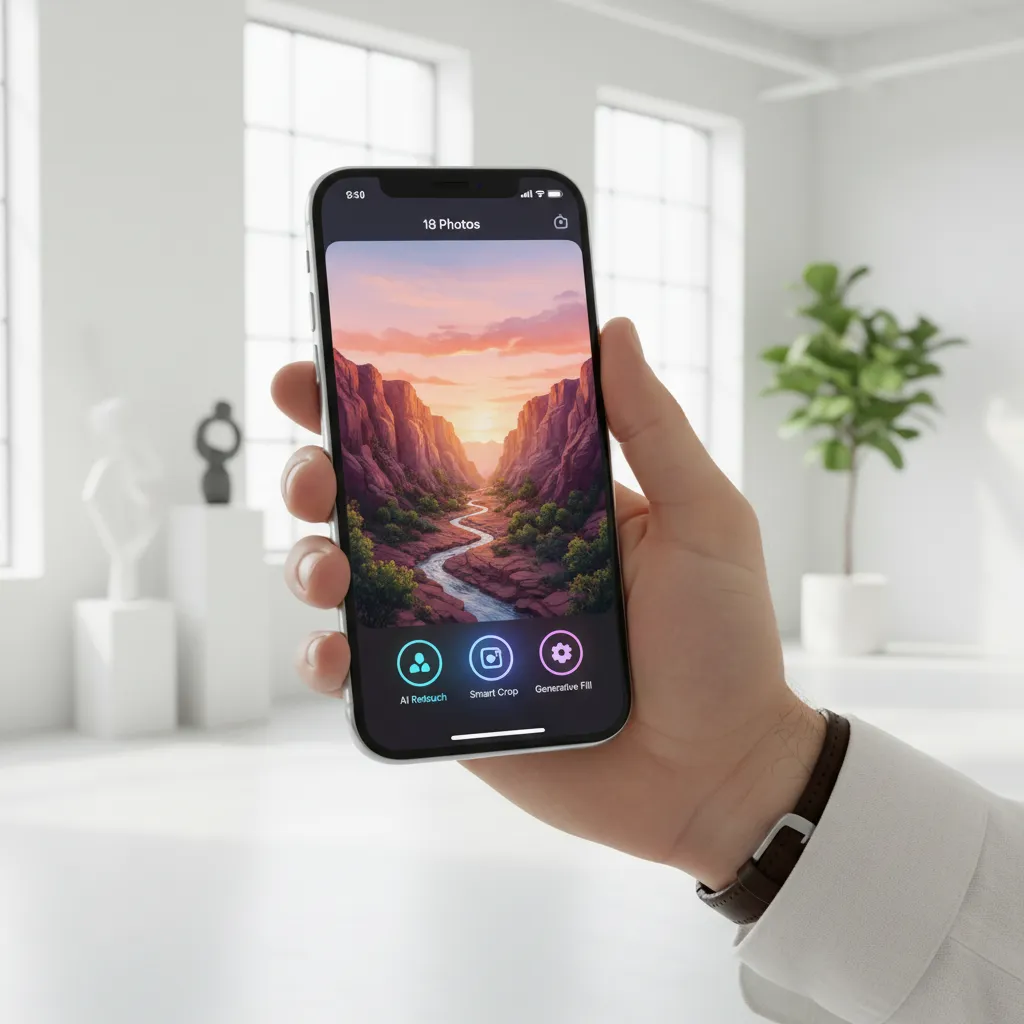
For years, the native Photos app on the iPhone has been a reliable, if somewhat basic, tool for organizing and making light edits to your personal library. But with the arrival of iOS 18 and the revolutionary integration of Apple Intelligence, the landscape of iPhone photography has fundamentally shifted. This isn’t just an update; it’s a quantum leap into the age of personalized, on-device generative AI.
At the heart of iOS 18’s features is a commitment to making complex digital tasks simple, accessible, and, crucially, private. The new suite of AI photo editing tools allows users to achieve results previously reserved for professional software, all from the palm of their hand. From seamlessly removing unwanted distractions to generating entirely new images and even personalized emojis, the Photos app AI is no longer a passive gallery but a powerful creative studio.
This deep dive will explore the specific new AI features in iOS 18 Photos, providing practical tutorials on how to use AI photo editing on iPhone, and analyzing how Apple’s unique approach to generative AI, prioritizing on-device AI and private cloud compute, sets a new standard in the industry. Whether you are an amateur photographer looking to polish vacation shots or a creator wanting to unlock new visual possibilities, the AI magic in iOS 18 is about to redefine your relationship with your photo library.
The Cornerstone of Creativity: Apple Intelligence
Before diving into the specific photo tools, it’s essential to understand the engine powering them: Apple Intelligence (AI). Unveiled at Apple WWDC 2024, this personal intelligence system integrates deep into iOS, iPadOS, and macOS, providing contextual awareness and powerful machine learning capabilities that enhance everyday tasks.
On-Device Processing and Privacy
One of the most defining characteristics of Apple Intelligence is its focus on private cloud compute and on-device AI. Unlike competing systems that rely heavily on transmitting data to large, remote data centers, Apple’s model ensures that the majority of processing—especially for sensitive tasks like photo analysis and editing—happens directly on your device.
This approach addresses a core concern for many users: privacy. For tasks requiring greater computational power, Apple utilizes Private Cloud Compute, which runs secure, proprietary software on Apple Silicon servers. Your data is never stored, and access is strictly controlled, ensuring an AdSense-compliant level of data protection and trust. This is a key differentiator when comparing Apple Intelligence vs Google Photos or other cloud-based editors.
Machine Learning and Semantic SEO Integration
The AI features in iOS 18 Photos are deeply intertwined with advanced machine learning. This enables the system to understand context, differentiate between subjects, and make smart recommendations. For example, the system doesn’t just recognize a person in a photo; it understands the sentiment of the photo to suggest creating a memory movie or applying a stylistic edit.
Feature Spotlight: The iOS 18 Clean Up Tool
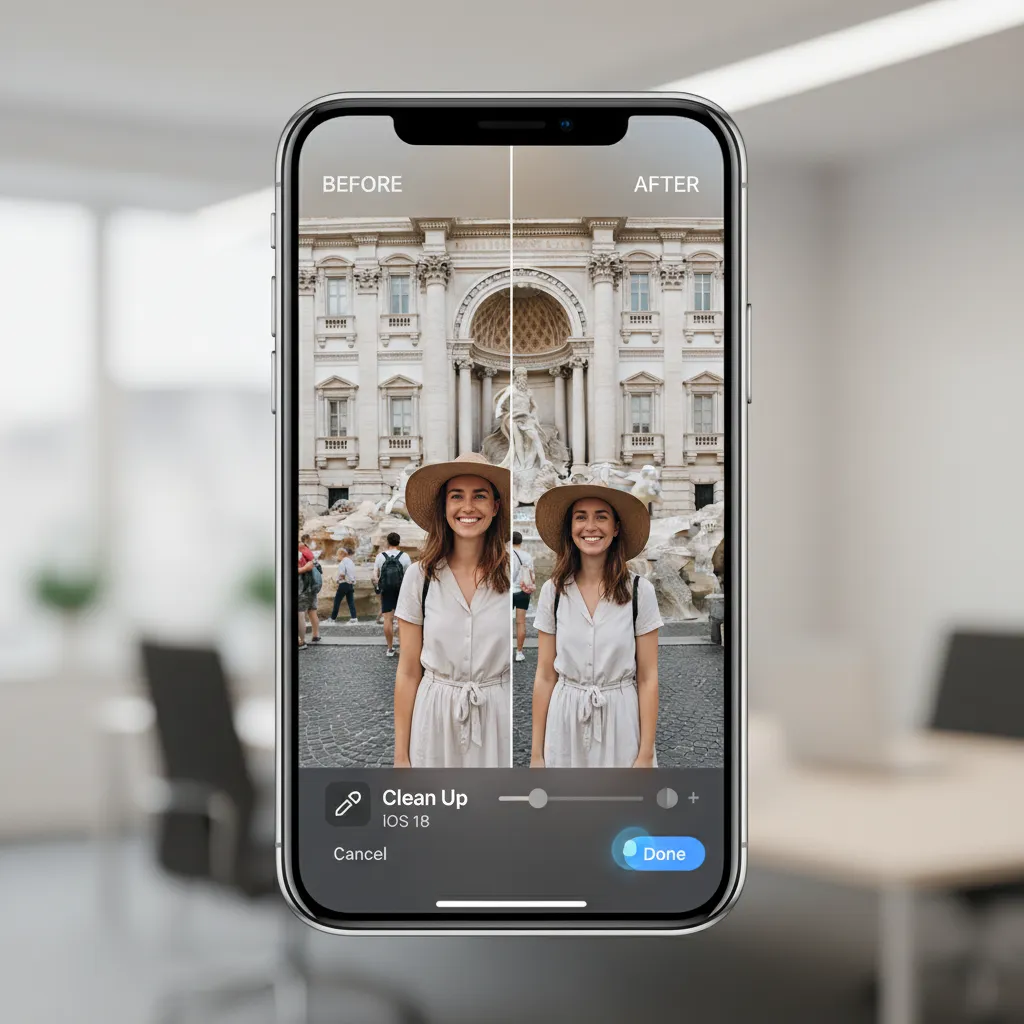
The single most anticipated and immediately practical new feature in the Photos app is the iOS 18 Clean Up tool. This is effectively Apple’s new magic eraser tool, designed to eliminate unwanted objects or people from your images with stunning accuracy, often exceeding existing third-party applications.
What is the Clean Up Tool?
The Clean Up tool uses sophisticated generative AI models to analyze the image, identify distracting elements (like photobombers, electrical wires, or litter), and seamlessly paint over them, intelligently generating new background pixels that blend perfectly with the original scene.
How to Use AI Photo Editing on iPhone (Clean Up Tool Tutorial)
Using the Clean Up tool is incredibly intuitive, making professional-grade photo retouching accessible to everyone:
- Open the Photos App: Navigate to the photo you wish to edit.
- Tap ‘Edit’: Select the familiar ‘Edit’ button in the top right corner.
- Select ‘Clean Up’: This new option will appear among the standard editing tools (Crop, Filters, etc.).
- Brush or Lasso: You can either use your finger or Apple Pencil to brush over the object(s) you want to remove, or use a lasso selection tool for more precise outlines.
- Wait for Processing: The on-device AI instantly processes the selection and generates the replacement area.
- Review and Save: If the results are satisfactory, tap ‘Done.’ If not, you can undo or refine your selection.
The power of this object removal tool lies in its speed and the quality of the generated fill. It works best on simple, consistent backgrounds, but even complex textures like sand or water are handled with surprising finesse.
Image Placement: Showcase the effectiveness of the Clean Up tool.
Next-Level Organization: Creating Memories with Apple Intelligence
The “Memories” feature in the Photos app has been reimagined and turbocharged by Apple Intelligence. Previously, Memories compiled photos based on time and location. Now, it integrates genuine creative tools and contextual understanding to craft cinematic, emotionally resonant short films.
Contextual Understanding of Your Library
Creating memories with Apple Intelligence moves beyond mere metadata. The AI can understand the content within the photos: who is in them, what activity is taking place (e.g., hiking, birthday party, graduation), and the overall mood.
When you ask Siri or the Photos app to “Create a memory movie of my summer trip to Italy,” Apple Intelligence instantly performs a deep semantic search using visual lookup and contextual tags. It identifies the best photos and videos, automatically selects a suitable theme and musical track, and sequences the clips with professional transitions.
Key Memory Enhancements in iOS 18:
- Natural Language Prompts: You can now describe the kind of Memory you want (e.g., “A fast-paced, adventurous video of our ski trip set to upbeat music”).
- Automatic Theme Application: AI selects from a wider range of themes, adjusting filters, text overlays, and pacing.
- Intelligent Soundtrack Matching: The system matches the music not just to the length of the video, but to the mood and pacing of the selected clips.
This feature exemplifies how Apple AI aims to enhance the user’s life by making media creation effortless and deeply personal. It transforms a scattered collection of images into a polished narrative.
The Generative Realm: Image Playground and Genmoji Creator
While the Clean Up tool focuses on fixing existing images, other iOS 18 features introduce pure generative AI into the creative workflow, allowing users to create entirely new visual assets.
Image Playground iOS 18 Guide: AI Art on Your iPhone
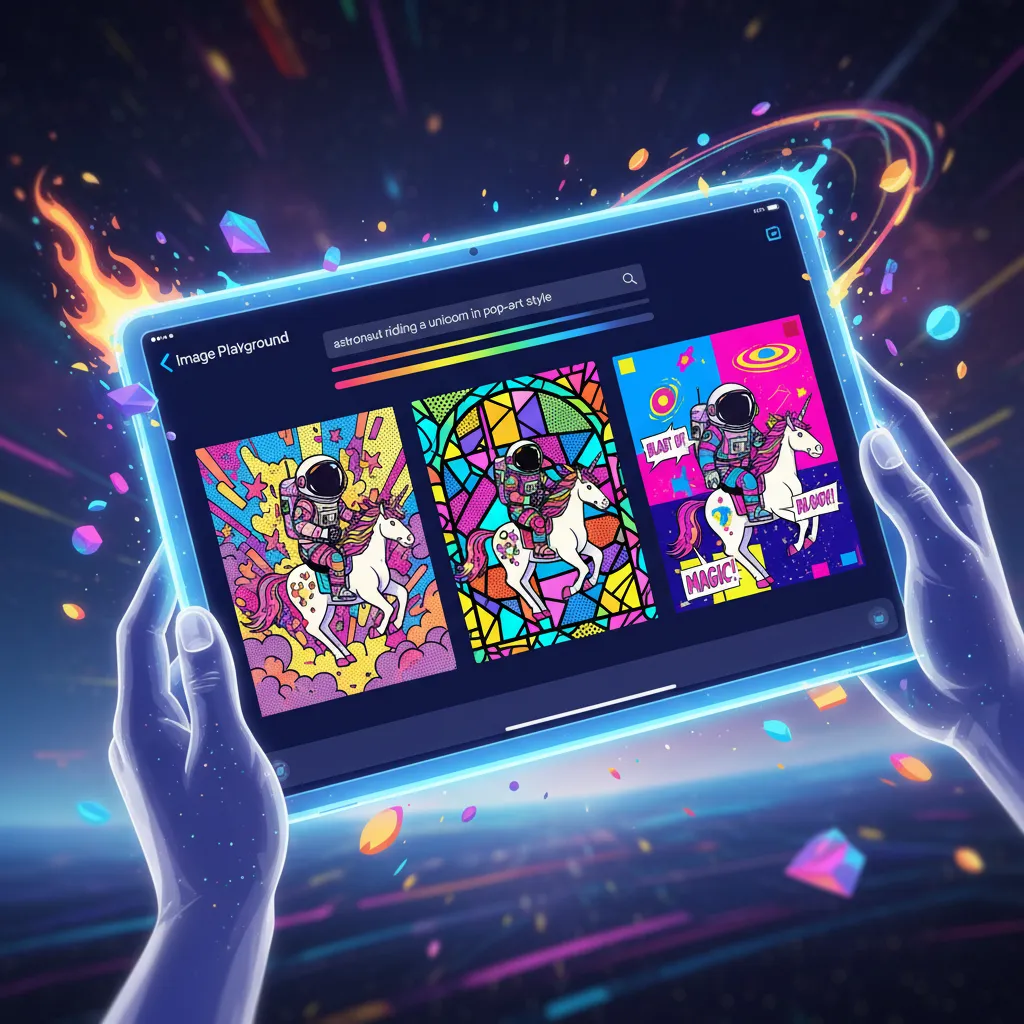
Image Playground is Apple’s answer to popular text-to-image generators, but with a unique focus on communication and speed. It is accessible within apps like Messages, Notes, and Freeform, enabling users to create playful, high-quality images instantly.
How Image Playground Works
Image Playground offers three distinct styles for generation:
- Animation: Cartoon-like, playful renderings.
- Illustration: More artistic, stylized drawing looks.
- Sketch: Simple, line-art focused drawings.
The process is straightforward:
- Open the Tool: In an app like Messages, tap the plus sign and select “Image Playground.”
- Enter a Prompt: Type a simple description (e.g., “A cat wearing a tiny chef hat cooking pasta”).
- Choose Style and Subject: Select one of the three styles and refine the subject or setting using suggested tags (e.g., “Outdoors,” “Happy,” “Oil Paint”).
- Generate: The generative AI processes the prompt quickly, usually providing several variations.
This tool is optimized for fast, relevant results, focusing on creativity rather than photorealism, making it perfect for quick visual communication.
Image Placement: Show Image Playground in action.
The Rise of Genmoji Creator
One of the most charming and personalized AI additions is the ability to create Genmoji. These are custom, context-aware emojis generated using Apple Intelligence based on text prompts or even your own photos.
How to Use Genmoji in Photos and Messaging
Genmoji creator works similarly to Image Playground but focuses specifically on generating small, expressive characters that can be dropped into conversations or used in the Photos app for fun overlays.
If you text a friend, “I’m so excited for the concert!” iOS 18 might suggest a Genmoji of “a dancing rock star.” More powerfully, you can use your own image:
- Select a Photo: Choose a portrait of yourself or a friend from the Photos app.
- Generate a Genmoji: The system uses background removal and subject isolation to transform the subject into a stylized emoji, capturing the expression or pose.
- Customization: You can further refine the Genmoji with text prompts (e.g., “wearing sunglasses,” “giving a thumbs up”).
This level of personalization elevates simple communication and further integrates the photo library into the operating system’s core functions.
Image Placement: Illustrate the Genmoji creation process.

Technical Deep Dive: The AI Workflow and Architecture
The advanced capabilities of iOS 18’s photo editing tutorial features are a result of careful architectural choices focused on balancing power and privacy. Understanding this architecture is key to appreciating the true value of Apple Intelligence.
The Role of Foundation Models
Apple Intelligence relies on large, multimodal foundation models that are optimized for efficiency on Apple Silicon chips (M1, M2, M3, and later). These models are not just generative; they are deeply semantic.
- Visual Understanding: The models analyze billions of parameters to understand composition, lighting, and object relationships, which is crucial for successful object removal and background removal.
- Contextual Linking: The system links visual data with personal context (calendar events, contacts, location data) to provide highly relevant suggestions, such as better search results or Memory creation prompts.
On-Device vs. Private Cloud Compute in Photos
Most minor editing tasks and quick generations (like simple Genmoji creation or smart cropping) are handled directly on-device, ensuring instantaneous response and absolute privacy.
For resource-intensive tasks, such as generating complex Image Playground images or executing large-scale Clean Up operations on high-resolution images, the request is routed to Private Cloud Compute. This maintains the “on-device” security model:
- The request is stripped of identifiers before leaving the phone.
- The data is encrypted end-to-end.
- The processing occurs in a secure enclave that only executes Apple’s trusted models.
- The result is sent back, and the temporary data on the cloud server is instantly destroyed.
This architecture is Apple’s competitive advantage, particularly when discussing sensitive visual data.
Comparative Analysis: Apple Intelligence vs. The Competition
When exploring the best AI photo editor for iPhone, many users will naturally compare Apple’s new tools with established alternatives, most notably Google Photos and third-party apps like Adobe Lightroom.
| Feature | iOS 18 (Apple Intelligence) | Google Photos (Magic Editor) | Third-Party Apps (e.g., Lensa) |
|---|---|---|---|
| Object Removal | iOS 18 clean up tool (Highly integrated, contextual) | Magic Eraser (Excellent, but cloud-reliant for advanced edits) | Specialized, often subscription-based |
| Generative Creation | Image Playground (Fast, conversational, focused on stylized art) | Generative Fill (More focused on photorealistic manipulation) | Variable, based on the specific app’s focus |
| Privacy Model | On-device AI & Private Cloud Compute (Prioritizes user privacy) | Heavy reliance on cloud processing and data use | Variable; depends on the company’s policy |
| System Integration | Deeply embedded across all OS features (Messages, Photos, Siri) | Primarily within the Google Photos app and services | Requires opening a separate application |
| Memory Creation | Contextual, cinematic creation with natural language prompts | Automatic compilation based on time and location tags | Non-existent or very basic |
Apple’s strength lies not just in the quality of the tools, but in their seamless, private integration into the core operating system. The iOS 18 photo editing tutorial experience is inherently simpler because the tools are where you expect them to be—inside the native Photos app.
[Related: The Rise of SLMs: Edge AI’s Secret Weapon for Local Intelligence]
Practical Applications for iPhone Photography Enthusiasts
The new suite of Apple AI tools moves beyond mere novelty and offers significant practical benefits for both everyday users and serious mobile photographers.
1. Eliminating Distractions in Travel Photography
Imagine you’ve captured the perfect scenic view, but a few tourists or an unsightly trash can are spoiling the foreground. The iOS 18 clean up tool solves this in seconds. This level of automated, high-quality photo retouching saves hours of manual work in desktop software. For travel bloggers or those who rely on quickly posting high-quality images, this is invaluable.
2. Enhancing Everyday Snapshots
For casual users, the AI is a brilliant background assistant. It can automatically:
- Improve Composition: Suggesting smart crops based on the rule of thirds or subject emphasis.
- Balance Lighting: Automatically adjusting shadows and highlights in complex scenes where simple HDR fails.
- Smart Categorization: Better labeling and grouping of photos by event, emotion, or activity, improving search results. The enhanced visual lookup can identify specific landmarks or complex objects with greater accuracy.
3. Boosting Creativity with Generative Assets
Content creators can leverage Image Playground for quick mockups, social media stories, or generating unique stickers for digital communication. The ease of the Genmoji creator also allows for quick branding elements or personalized reactions that stand out from standard emoji libraries.
The shift in image editing software here is that the AI takes the heavy lifting out of the process, freeing the user to focus purely on the creative outcome, not the technical details.
[Related: AI in the Kitchen: Reshaping the Future of Food and Gastronomy]
The Future of iPhone Photography: AI as Co-Pilot
The introduction of Apple Intelligence marks a clear strategic direction: AI is not just a feature; it is the new user interface. For photography, this means the iPhone camera and Photos app will continue to evolve into a dynamic co-pilot.
Advanced Siri Improvements and Photo Integration
With Siri improvements also powered by Apple Intelligence, interactions with your photo library become conversational. You can ask complex, nested queries like, “Show me all the photos I took last summer in London where both my kids are smiling, and then use the Clean Up tool on the one where the bus is visible.”
This semantic understanding, facilitated by the deep integration of machine learning, signifies a major step forward in human-computer interaction, moving beyond simple keyword searches.
Safety and Responsibility in Generative AI
Apple has committed to ensuring responsible use of its generative AI tools. This includes:
- Content Watermarking: Images created using Image Playground and other generative features may contain invisible C2PA metadata, indicating they were generated by AI. This promotes transparency and combats the spread of deepfakes.
- Safety Filters: Built-in safeguards prevent the generation of inappropriate or harmful content, maintaining an AdSense-compliant and family-friendly environment within the OS.
The focus is on providing powerful creative tools while maintaining a high ethical bar.
[Related: Sustainable AI: Eco-Friendly Innovation for a Greener Digital Future]
Conclusion: The Revolution is Personal and Private
iOS 18’s AI magic fundamentally changes what we expect from a mobile operating system. The new AI photo editing tools—particularly the masterful iOS 18 clean up tool, the creative Image Playground iOS 18 guide, and the personalized Genmoji creator—are powerful, user-friendly, and deeply integrated.
By anchoring these capabilities in Apple Intelligence, with its relentless commitment to on-device AI and privacy via private cloud compute, Apple has delivered a compelling ecosystem that is both highly functional and trustworthy. These advancements empower everyone, from casual snappers to dedicated photographers, to enhance their memories and unleash their creativity with unprecedented ease and quality.
The journey into the AI-enhanced world of iPhone photography has just begun, and with iOS 18, your camera roll transforms from a historical archive into a dynamic, intelligent creative hub. Upgrade your perspective, dive into the new Photos app, and start experimenting with the next generation of digital magic.
FAQs: Your Questions on iOS 18 AI Photo Editing Answered
Q1. What are the core new AI features in iOS 18 Photos?
The core new AI features in iOS 18 Photos are the Clean Up tool (for object removal), enhanced Memories creation with natural language commands, the Image Playground iOS 18 guide (for generating stylized images), and the Genmoji creator (for personalized emojis). These features are all powered by Apple Intelligence.
Q2. How does the iOS 18 Clean Up tool compare to Google’s Magic Eraser?
The iOS 18 clean up tool performs similar object removal functions to Google’s Magic Eraser. However, Apple emphasizes its use of on-device AI and secure private cloud compute for advanced edits, ensuring greater data privacy and deeper integration into the native Photos app structure. Both offer excellent results for photo retouching.
Q3. Which devices will support Apple Intelligence and the new AI photo features?
Apple Intelligence, which powers these advanced AI photo editing features, requires devices with the necessary processing power, specifically those running the A17 Pro chip or the M-series chips (iPhone 15 Pro, iPhone 15 Pro Max, and upcoming models). Older iPhones may receive some general iOS 18 machine learning updates but not the full suite of generative AI capabilities.
Q4. Is the Image Playground designed for photorealistic image generation?
No. The Image Playground iOS 18 guide is primarily designed for quick, stylized, and creative image generation across three distinct styles: Animation, Illustration, and Sketch. It focuses on playful communication and artistic assets rather than high-fidelity, photorealistic manipulation, which often requires more complex external tools.
Q5. How does Apple ensure privacy when using Private Cloud Compute for photo editing?
Apple employs a process called private cloud compute where data is encrypted end-to-end and requests are stripped of user identifiers before being sent to highly secure, dedicated Apple Silicon servers. The cloud servers only process the request and immediately destroy the temporary data, ensuring that Apple never stores or accesses the user’s personal photo information.
Q6. Can I use Genmoji in non-Apple apps?
Genmoji creator generates images that can typically be used anywhere standard image files or stickers are supported. While the creation and integration are deepest within Apple’s native apps (Messages, Mail), the resulting custom Genmoji can usually be copied and pasted into third-party communication platforms as a static image.
Q7. What are the requirements for creating memories with Apple Intelligence?
Creating memories with Apple Intelligence requires having a sufficient library of photos and videos. The AI uses visual lookup and contextual data to identify themes, people, and locations. You simply need to provide a natural language prompt (e.g., “Show me the highlights from our last family holiday”), and the AI handles the complex compilation and editing.