AI Copilots for Developers: Supercharge Your Coding Workflow

In the ever-accelerating world of software development, the pressure to build faster, smarter, and more securely has never been greater. Developers juggle complex architectures, endless dependencies, and the constant need to learn new languages and frameworks. What if you had an intelligent partner who could anticipate your next move, write boilerplate code in a flash, and even help you untangle the gnarliest bugs? This isn’t science fiction; it’s the reality of AI copilots for developers.
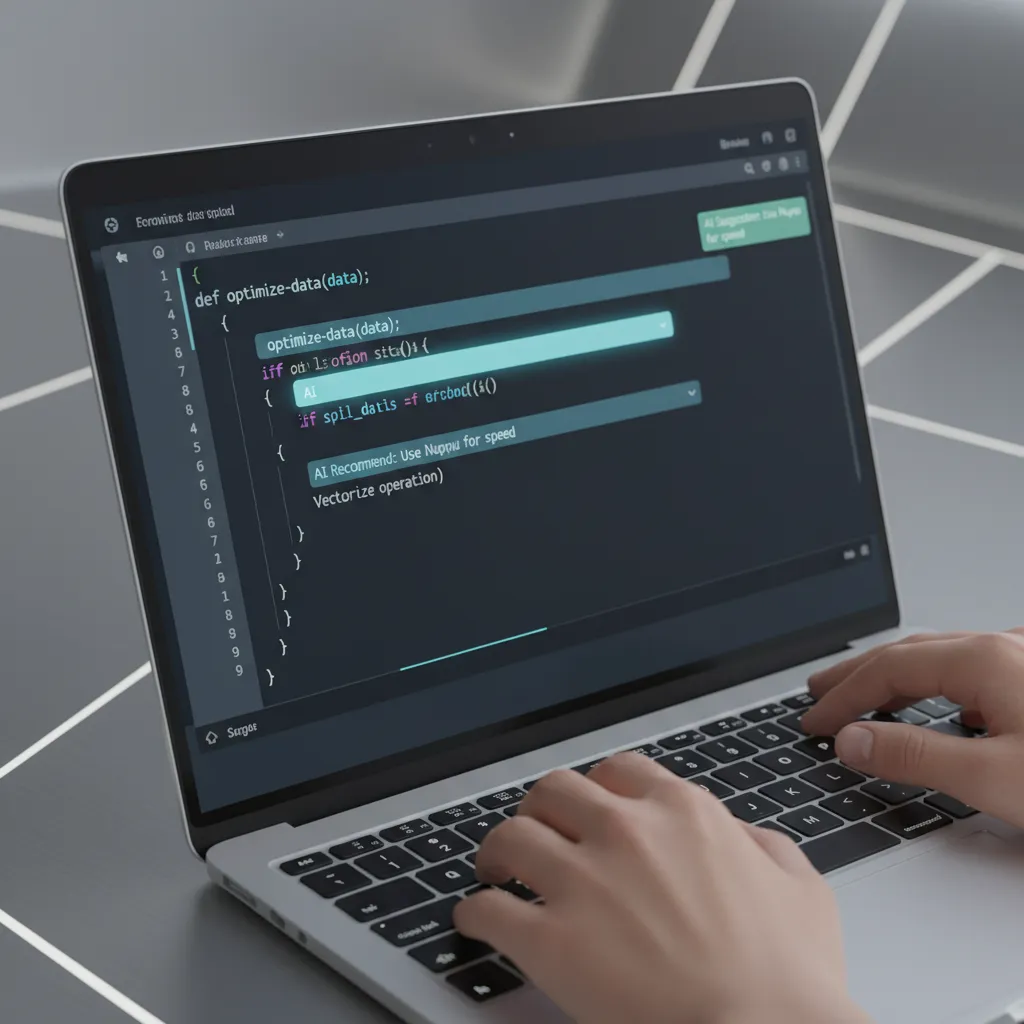
These powerful developer productivity tools are fundamentally reshaping the craft of coding. They’ve evolved far beyond simple syntax highlighting and basic automated code completion. Today’s AI coding assistant is a sophisticated partner, leveraging the power of code generation AI to offer intelligent suggestions, streamline workflows, and act as a true collaborator.
This comprehensive guide will explore the transformative impact of AI in software engineering. We’ll dive deep into what these tools are, the concrete benefits they offer for developer workflow optimization, and how you can integrate them to achieve unprecedented AI coding efficiency. From understanding the nuances of AI pair programming to exploring GitHub Copilot alternatives, you’ll walk away with a clear roadmap for harnessing the future of coding.
What Exactly Is an AI Coding Assistant? Beyond Autocomplete
At its core, an AI coding assistant is a tool integrated into your Integrated Development Environment (IDE) or code editor that uses artificial intelligence, primarily large language models (LLMs), to help you write code. These LLMs are trained on massive datasets, including billions of lines of open-source code from platforms like GitHub, enabling them to understand context, syntax, and programming patterns across dozens of languages.
But thinking of them as just “autocomplete on steroids” is a massive understatement. A modern software development AI functions more like a junior partner in an AI pair programming session. It doesn’t just guess the next word; it understands your intent.
Here’s how it works:
- Contextual Analysis: The tool analyzes the code you’ve already written, your comments, the file you’re in, and even other open files in your project to grasp the broader context.
- Intelligent Code Suggestions: Based on this context, it generates
intelligent code suggestions, ranging from single lines to entire functions and classes. You can describe what you want in a simple comment (e.g.,// function to fetch user data from API), and the AI will often write the complete, functional code for you. - AI Code Explanation: Stuck on a complex piece of legacy code or an unfamiliar library? Highlight the section and ask the AI to explain it in plain English. This is a game-changer for onboarding and maintenance.
- AI-Driven Development: This paradigm shift means developers spend less time on tedious, repetitive tasks (like writing tests, creating data models, or configuring files) and more time on high-level architecture, creative problem-solving, and building unique features.
This technology is a cornerstone of the ongoing effort toward improving the developer experience, reducing cognitive load and freeing up mental bandwidth for what truly matters.
The Core Benefits: How AI Copilots Revolutionize the Developer Workflow
The adoption of AI coding assistants isn’t just a trend; it’s a direct response to the tangible benefits they provide. Teams and individual developers are seeing dramatic improvements across the entire software development lifecycle.
Drastic Acceleration in Software Development
The most immediate and celebrated benefit is speed. By automating the creation of boilerplate code, repetitive functions, and unit tests, AI copilots significantly reduce development time. A study by GitHub found that developers using Copilot are up to 55% faster at completing tasks. This acceleration means faster software development cycles, quicker time-to-market for new features, and a more responsive development team.
Enhancing Code Quality and Consistency
A good AI for programmers acts as a guardian of AI code quality. By suggesting code based on widely accepted best practices and patterns from vast training data, it helps maintain consistency across a codebase, even with multiple developers working on it. This leads to AI for clean code by:
- Reducing Human Error: Automating repetitive code minimizes typos, syntax errors, and other common mistakes.
- Enforcing Style Guides: Some tools can be configured to suggest code that adheres to specific team-wide coding standards.
- Suggesting Better Implementations: An AI copilot might offer a more efficient or idiomatic way to write a function that a developer might not have considered, directly contributing to
reducing coding errors AI.
Smarter Debugging and Problem-Solving
Debugging is often the most time-consuming part of development. AI debugging tools, often integrated within copilots, are changing the game. Instead of just staring at an error message, a developer can ask the AI for potential causes and fixes. The AI can analyze the stack trace, review the relevant code, and propose targeted solutions. This transforms debugging from a frustrating guessing game into a structured, AI-assisted process.

Lowering the Barrier to Entry and Upskilling
For junior developers or those learning a new programming language, AI copilots are an invaluable educational resource. It’s a prime example of AI for learning to code. When a student is stuck, they can see how the AI would solve the problem, learn new patterns, and get instant explanations for unfamiliar code. This real-time feedback loop dramatically shortens the learning curve.
Related: Unlocking Potential: How AI is Revolutionizing Personalized Learning
Unlocking Focus and Reducing Cognitive Load
Every developer knows the feeling of being “in the zone” or a state of flow. Context switching to look up syntax on Stack Overflow or remember a specific API endpoint can break that concentration. An AI-powered IDE keeps the developer in their editor, providing answers and code directly within their workflow. This sustained focus is a key component of developer workflow optimization and leads to higher-quality work and greater job satisfaction.
A Guided Tour of the Top AI Copilots in 2025
While GitHub Copilot pioneered the space, the market for developer productivity tools is now rich with powerful GitHub Copilot alternatives. The best choice often depends on your specific ecosystem, privacy needs, and programming languages.
| Tool | Key Features | Best For |
|---|---|---|
| GitHub Copilot | Deep IDE integration (VS Code, JetBrains), chat functionality, trained on vast public code. | General-purpose development, open-source projects, developers invested in the Microsoft/GitHub ecosystem. |
| Tabnine | Strong focus on privacy, can be self-hosted, personalized models based on your team’s code. | Enterprises with strict privacy and security requirements, teams wanting a highly personalized coding assistant. |
| Amazon CodeWhisperer | Optimized for the AWS ecosystem, security scanning for vulnerabilities, reference tracking for suggestions. | Developers building applications on AWS, teams focused on secure coding with AI. |
| JetBrains AI Assistant | Seamlessly integrated into all JetBrains IDEs (IntelliJ, PyCharm, etc.), context-aware smart chat. | Developers who live and breathe the JetBrains ecosystem and want a deeply native experience. |
| Replit Ghostwriter | Fully browser-based, excellent for collaboration, rapid prototyping, and web development. | Students, educators, and teams who need a zero-install, collaborative coding environment. |

Choosing the right tool involves evaluating your team’s priorities. Do you need the tight AWS integration of CodeWhisperer, the privacy guarantees of Tabnine, or the general-purpose power of GitHub Copilot? Experimenting with free trials is the best way to determine which AI coding assistant best fits your workflow.
Best Practices: Mastering Your AI Coding Assistant
To truly unlock the potential of these tools, you must learn to work with them effectively. Simply accepting every suggestion can lead to mediocre or even buggy code. Here are some AI coding best practices to maximize the benefits.
1. Be the Pilot, Not the Passenger
The term “copilot” is intentional. You are still the pilot-in-command. The AI is there to assist, not to take over. Use its suggestions as a starting point. Always strive to understand the code it generates before committing it. Your critical thinking and architectural oversight are irreplaceable.
2. Master the Art of Contextual Prompting
The quality of the AI’s output is directly proportional to the quality of your input. Provide clear, descriptive context through your comments.
- Bad Comment:
// do the thing - Good Comment:
// function to validate an email address using a regular expression and return a boolean
The more specific you are, the more accurate and useful the code generation AI will be.
3. Always Review, Refactor, and Test
Never blindly trust AI-generated code. It may be functionally correct but inefficient, insecure, or non-idiomatic.
- AI Code Review: Use the AI’s output as a “first draft” and apply the same rigor you would to a junior developer’s code.
- AI Code Refactoring: Use the AI to improve existing code. Highlight a cumbersome function and ask, “Can you refactor this to be more efficient?” or “Rewrite this using modern async/await syntax.”
- Testing: AI-generated code must pass the same comprehensive suite of tests as human-written code.
Related: Practical XAI: Implementing Explainable AI in Your Business
4. Integrate It Into Your Security Workflow
While AI can help write code faster, it can also introduce vulnerabilities faster. Use tools that have built-in security scanning, like Amazon CodeWhisperer. The principle of secure coding with AI means using AI as a tool to both generate and vet code for potential security flaws like SQL injection or cross-site scripting.
The Elephant in the Room: Ethical and Security Considerations
The rise of AI in software engineering is not without its challenges and debates. Addressing these issues head-on is crucial for responsible adoption.
- Code Ownership and Licensing: The primary controversy revolves around the training data. Since these models are trained on vast amounts of public code, they can sometimes reproduce code snippets verbatim without proper attribution, creating potential licensing conflicts. Many tools are now implementing reference trackers to mitigate this risk.
- The Risk of Insecure Code: An AI doesn’t understand security in a human sense. It may generate code based on outdated or insecure patterns found in its training data. This underscores the critical need for human oversight and robust security scanning.
- Skill Atrophy and Over-reliance: There’s a valid concern, especially for junior developers, that over-relying on AI could hinder the development of fundamental problem-solving skills. The key is to use it as a learning tool, not a crutch. Always ask why the AI suggested a particular solution.
- Data Privacy: When using a cloud-based AI assistant, you are sending your code context to a third-party server. For projects with sensitive intellectual property, this is a major concern. This is why tools like Tabnine, which offer self-hosting options, are gaining traction in the enterprise space.
The discussion around ethical AI in coding is ongoing, and the community is actively working to establish standards and best practices for this new era.
The Future of Coding is Collaborative Intelligence
The future of coding is not about humans versus machines; it’s about humans with machines. We are moving from simple code completion to a future where AI agents can take on more complex tasks.

Imagine a workflow where you describe a new feature in a high-level document. An AI agent then generates the full codebase, writes the tests, creates the deployment pipeline, and presents it for your review. The developer’s role will evolve from a line-by-line code author to a system architect, a creative director, and a meticulous reviewer, guiding AI to build robust and innovative solutions. The personalized coding assistant of tomorrow will know your coding style, your project’s architecture, and your personal preferences, making the collaboration seamless.
Related: Apple Intelligence: A Deep Dive into the AI Features Coming to iOS 18
Conclusion
AI copilots are no longer a novelty; they are essential developer productivity tools that are fundamentally changing the landscape of software development. By embracing AI-driven development, programmers can offload tedious tasks, improve AI code quality, and dedicate their brainpower to solving bigger, more interesting problems. These tools offer immense coding assistant benefits, from accelerating development cycles to making the entire process more enjoyable and less error-prone.
The key is to approach these tools with a mindset of collaboration. Learn to guide them, question their output, and leverage their strengths to amplify your own. The era of the lone coder is fading. The future belongs to the developer who can effectively partner with AI to build the next generation of software.
What will you build with your new copilot?
FAQs
Q1. What is an AI copilot for developers?
An AI copilot, or AI coding assistant, is a tool that integrates with a developer’s code editor to provide intelligent, context-aware assistance. Using large language models trained on vast amounts of code, it offers everything from automated code completion and full function generation to code explanation, debugging help, and refactoring suggestions.
Q2. Can AI write code better than humans?
AI can write code much faster than humans and is excellent at generating boilerplate, standard algorithms, and code based on well-established patterns. However, it currently lacks true understanding, creativity, and the architectural foresight of an experienced human developer. The best results come from human-AI collaboration, where the human provides the high-level logic and reviews the AI’s output.
Q3. Is using GitHub Copilot cheating?
No, using tools like GitHub Copilot is not considered cheating. It is widely seen as a productivity tool, similar to using a compiler, a linter, or a powerful IDE. The goal of software development is to solve problems effectively and efficiently, and AI copilots are a powerful means to that end. It’s about augmenting human capability, not replacing it.
Q4. What are the main disadvantages of AI in coding?
The primary disadvantages include the potential for generating insecure or buggy code, risks related to code licensing and intellectual property, the possibility of skill atrophy if over-relied upon, and data privacy concerns when proprietary code is sent to cloud-based services for analysis.
Q5. Will AI replace software developers?
It is highly unlikely that AI will replace software developers in the foreseeable future. Instead, AI will continue to augment their abilities. The role of a developer is evolving from writing every line of code to designing systems, verifying AI-generated solutions, and focusing on complex, creative problem-solving that machines cannot yet handle.
Q6. How do I get started with an AI coding assistant?
Getting started is easy. Most popular code editors, like Visual Studio Code, have extensions for major AI assistants like GitHub Copilot, Tabnine, and Amazon CodeWhisperer. Simply install the extension from the marketplace, sign up for the service (many offer free trials), and start coding. The tool will begin providing suggestions as you type.